



Virtual Keynote Speaker: What Makes a Remote Keynote Land
A virtual keynote speaker is a public speaker who delivers a keynote presentation to people who are not all in the same room. The audience may be fully remote, or it may be hybrid, with some people in a hall and others joining through a platform. The job is the same as any keynote: give the room a clear idea they can use after the event, in their work and in the rest of their professional life. The conditions are not the same. Lighting, sound, timing, and the way people ask questions all change when the speaker is on a screen.
This article is for the person who is booking or producing that session. It covers speaker selection, the virtual environment, and the habits that help a remote keynote hold attention. It does not discuss fees, and it does not treat a credit list as proof that a session will work. If you are also comparing on-site options, start with the keynote speaker page and, for company audiences, the business speaker page. For a wider booking checklist, see what organizations should evaluate before booking a keynote speaker.
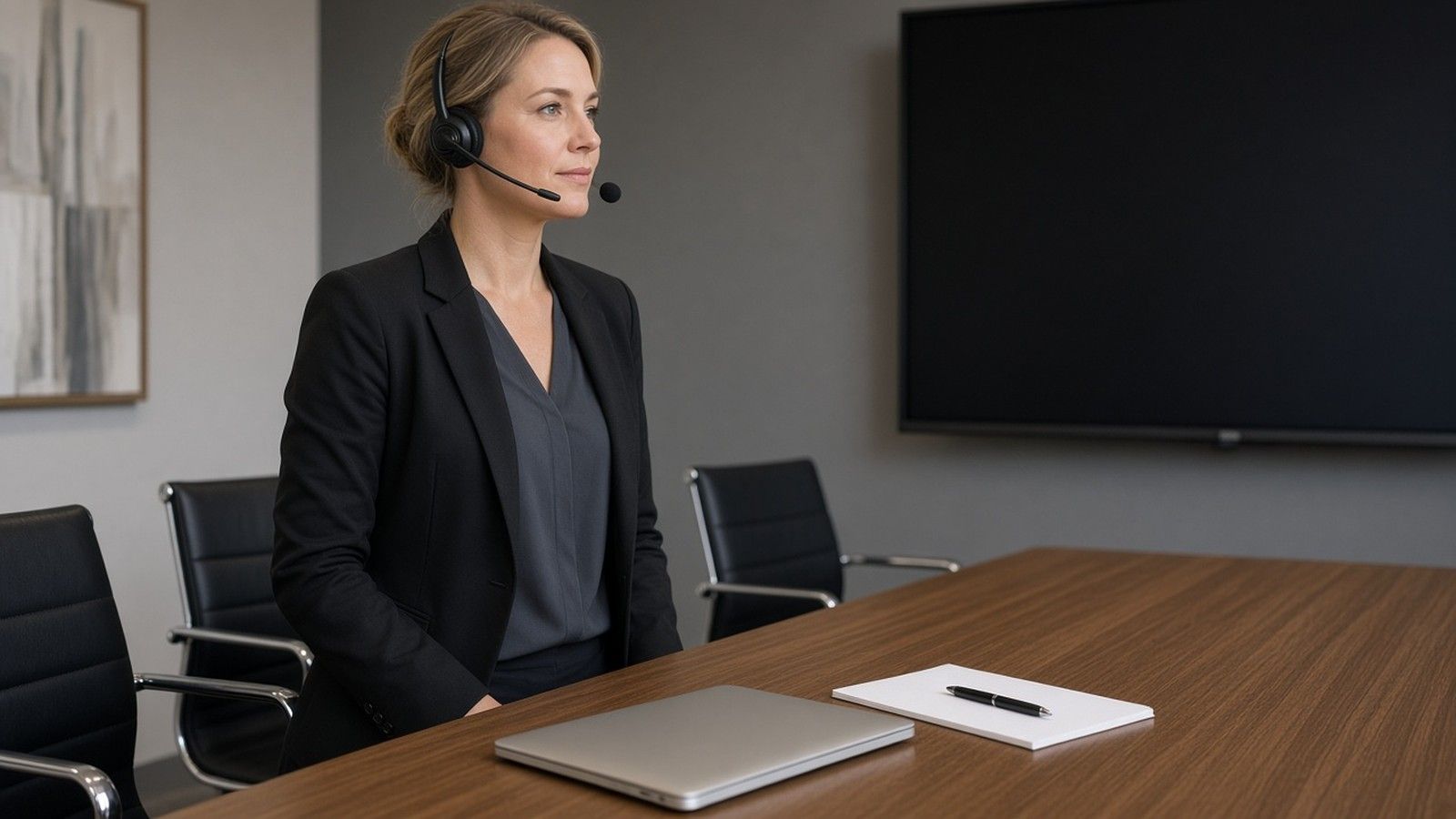
Table of contents:
- What a virtual keynote speaker does
- How virtual speakers work in a remote or hybrid event
- Speaker selection for virtual events
- Preparing the virtual environment
- Running the presentation
- Topics that travel well on a screen
- What to confirm before the session
What a Virtual Keynote Speaker Does
Keynote speakers open or close a program. They set a direction for the day, give leaders a shared vocabulary, and leave the audience with a few ideas that can be applied at work. Virtual keynote speakers do that work through a camera. They cannot rely on the energy of a packed hall, or on a moment of personal transformation, to carry a thin outline. They have to be easier to follow, more deliberate in pacing, and more precise about what the audience should do next.
A virtual keynote speaker also has to work with the producer. Someone on the host side will manage the platform, the slides, the chat, and the backup link. The speaker should treat that person as part of the presentation, not as a technician who appears only when something goes wrong. Dedicated virtual speakers usually ask for a rehearsal on the same platform the event will use. That request is a good sign.
Drew Rhoden, Esq., works as a keynote speaker for business and leadership audiences. His keynote speaker page describes the perspective of an attorney, CEO, entrepreneur, educator, and former collegiate coach. That mix is one example of how a speaker's background can be relevant to companies, a university, professional associations, and other organizations in today's business world. The same standard applies to other speakers you may consider: the background should match the people in the session, and it should show up in the talk, not only in a bio.
How Virtual Speakers Work in a Remote or Hybrid Event
Virtual events remove the walk to the stage and the pause while a room settles. They also remove a lot of informal feedback. Virtual speakers cannot always see faces clearly. Chat may be delayed. A joke that would land in a hall can fall flat when people are muted and checking email. The fix is not to speak louder. The fix is to design the session for the medium.
In a fully remote event, every attendee is on a device. The speaker should look at the camera, keep slides spare, and build in short checks so the audience can respond. That is the difference between a broadcast and a session people stay with. In a hybrid event, some people are in the room and some are not. The in-room attendees may see the speaker on a large display. The remote attendees may see a different crop, a different volume, or a delayed feed. Virtual speakers who have done this work will ask how both groups will see and hear them, and who is watching the remote chat.
The virtual environment includes the speaker's room, the host platform, and the way the organization will record or share the session later. It also includes the physical space on the host side: a quiet studio, a ballroom with a screen, or a classroom. If those pieces are not aligned, even strong keynote speakers will look unprepared.
Speaker Selection for Virtual Events
Speaker selection for a remote keynote should start with the audience and the outcome, not with a list of famous names. Ask what the organization needs people to understand, practice, or decide after the session. Then look for speakers whose expertise matches that need, and whose recorded virtual work shows they can hold a remote room.
Credits That Are Easy to Overweight
Many speaker pages lead with labels such as award winning, bestselling author, or co founder. Those phrases can be accurate for some speakers and still tell you little about a virtual session. An award winning credit does not confirm that the person can run a Q and A on your platform. A bestselling author credit does not confirm that the presentation was written for a screen. A co founder story can be useful when it is relevant to this audience; it is weak evidence on its own.
Award winning language also ages badly if the host does not check what the award was, who gave it, and when. Bestselling author claims vary in meaning depending on the list and the period. If you use those filters, use them as a starting point, then watch a recent virtual recording. The recording is the better test.
Hosts sometimes ask for a celebrity profile: a television appearance, a well known founder, or a famous entrepreneurial journey. Those requests are common. They are not a substitute for a unique perspective the audience can use. A serial entrepreneur or a successful entrepreneur may be the right voice for a startup event and the wrong voice for a university faculty meeting. Match the person to the room. The same founder story will not serve every audience, and a founder who cannot connect the story to this industry will not help. Clients often ask for a founder with operating experience; that request is fair when the insights are specific.
What to Watch in a Sample
Ask for a recording of a virtual session, not only a stage highlight reel. Watch the first ten minutes of the presentation. Does the speaker greet both the in-room and remote people, if both are present? Do they look at the camera? Do they leave space for questions, or do they fill every second? Can a viewer state the point of the talk at the midpoint?
Also watch how the speaker handles a delay, a frozen slide, or a question that arrives in chat. Virtual keynote speakers who have practiced this work stay calm and keep the thread. That ability matters more than a polished sizzle reel. Sales teams, leadership teams, and mixed company audiences all notice when a speaker is reacting to the actual room rather than reading a script. That kind of attention is what clients remember, and it is a better signal than a credit line.
What Hosts Should Ask Keynote Speakers and Virtual Speakers
Keynote speakers who work on a stage are not automatically strong virtual speakers. Some excellent stage speakers struggle on camera. Some virtual speakers who look modest on a large stage are precise, calm, and easy to follow on a screen. Hosts should compare speakers in the format they are actually booking.
Ask speakers for a recent virtual recording, a current bio, and a short note on how they rehearse with a producer. Ask speakers how they handle questions from chat, and how they will work with your teams on timing. Strong speakers will also ask you questions: who is in the audience, what challenges showed up at last year's event, and what would make this session useful in daily work. Speakers who only talk about themselves, and never about your people, are harder to place.
Organizations often review several speakers at once. That is reasonable. Give each person the same brief so you can compare speakers fairly, including how keynote speakers describe the same assignment. Watch how speakers describe the same topic. Some speakers will offer a generic motivational outline. Other speakers will bring a specific frame, recent examples, and a way for teams to apply the ideas. The second group is usually the better fit for a working audience. Keynote speakers should also show how their expertise applies to your sector. Event hosts who review keynote speakers this way waste less time on a credit list and more time on the actual talk.
Virtual speakers should be comfortable with the unglamorous parts of remote work: a tech check, a backup link, and a plan if the primary feed fails. Keynote speakers who resist a rehearsal are asking the host to take a risk. Many speakers are busy, and a short rehearsal still matters. The best virtual speakers, and the most reliable keynote speakers, treat rehearsal as part of the booking, not as an optional extra.
Speakers also differ in how they work with other speakers on the same agenda. If your day includes several keynote speakers, or a mix of virtual speakers and on-site speakers, ask whether the talks will overlap. Good speakers, including other keynote speakers on the same day, will adjust so the audience is not hearing the same story twice. That courtesy is part of professional life in this field, and it is one more reason to brief all speakers in writing.
Life in a remote session is more fragile than life in a hall. Speakers cannot use a long walk to the stage to gather themselves, and audiences cannot use a hallway conversation to recover if the talk is confusing. The difference shows up in small habits: a clear open, a mid-session check, and a close that names next steps. The reality of a remote room is that people can leave without leaving their seats. Speakers who understand that reality plan a tighter talk.
Preparing the Virtual Environment
The virtual environment should be tested, not assumed. Ask the speaker and the producer to join a rehearsal on the event platform, with the same slide file, the same backup link, and the same person who will advance the deck. Test sound with the microphone the speaker will actually use. Test lighting on the same day part as the live session, because late afternoon light is not the same as morning light.
The speaker's computer should be reserved for the session, with other notifications off. Use that machine on a wired connection if you can, and have a phone hotspot ready if the network fails. Give the speaker a quiet space, a simple background, and a camera at eye level. A busy backdrop competes with the talk. A camera that looks up at the speaker makes the session feel casual in the wrong way.
For hybrid events, walk the room. Confirm that the display is large enough, that the sound in the hall is clean, and that a dedicated staff member is watching the remote feed. If the people in the room laugh and the remote group cannot hear why, the two audiences have had two different events.
Build a short break into a long program so people can stand, and so the producer can reset if needed. Put that break on the run of show. Do not leave it to chance.
Running the Presentation
A virtual presentation has to be easier to follow than an on-site keynote of the same length. Keep the outline tight. State the point early. Repeat the actions you want people to take. Visuals should support the talk, not carry it. If a slide cannot be read on a laptop, it cannot be read on a phone.
Leave time for questions. Tell people how to ask: chat, a moderator, or a raised hand. A well run Q and A can inspire a more honest discussion than a closed lecture. If a question is unclear, restate it so both audiences hear the same version. A moderator, or a host who introduces the speaker, can help with this. For a practical introduction format, see how to introduce a speaker.
The power of a remote keynote is focus, and that power depends on a quiet setup as much as on the script. The speaker can look directly at each person on the other side of the camera, one at a time, in a way a stage does not allow. That only works if the speaker treats the camera as the audience, not as a device. It also works only if the host keeps the session free of last-minute agenda changes that force the speaker to rush.
Communication after the session matters too. Decide in advance what attendees will receive: the slides, a short summary, or a follow-up discussion for teams. If the organization wants business growth, better leadership habits, or a more positive follow-through after the event, the follow-up is part of the design, not an afterthought. Leadership is easier to practice when the next step is written down. Do not promise a particular result. Design a next step that people can actually take. A short history of the speaker's career is less useful here than one clear assignment.
Topics That Travel Well on a Screen
Some subjects work especially well in a virtual format because they depend on a clear framework, not on a large stage effect. Business strategy, business growth, leadership, organizational change, and customer experience can all be taught with examples, questions, and a short plan the audience can use the same week.
Business Growth and Customer Experience
Business growth is a common request from companies and from entrepreneurship events. A useful session explains how leaders make a series of decisions about people, offer, operations, and risk. It should leave leaders with strategies they can test, not only a hopeful view of the future. It should not be a string of slogans, and it should not pretend that one hour will inspire a company by itself. Customer experience belongs in the same family. If the audience is in sales, service, or product work, a virtual keynote can walk through how a company hears clients, where handoffs fail, and what a team can change in the next month. Sales and marketing teams often sit in these sessions together; the talk should give both groups language they can share.
Change Management, Innovation, and Artificial Intelligence
Change management and organizational change are frequent topics for leadership audiences. A virtual session can help leaders name the work, the communication plan, and the points where progress usually stalls. Innovation, and other growth work, is similar: the useful version is specific about how a team tests an idea. Innovation talk that never leaves the slide is not useful, and innovation theater helps no one. A general appeal to the future, without a method, is not enough. If innovation is on the agenda, ask the speaker to show one innovation example from a similar organization, and one way leading teams actually tried it. Leading with a concrete case is better than leading with a trend list. Audiences remember the case.
Artificial intelligence is now a common request for virtual events. Treat it like any other subject. Ask whether the speaker has a clear point of view, recent examples, real expertise, and a way to discuss risk, not only excitement. A session on artificial intelligence should help the audience decide what to try, what to leave alone, and who inside the organization should own the work. Leading a useful discussion on that subject requires preparation, not only enthusiasm. If the speaker cannot do that, pick a different topic or a different speaker.
Other organizations ask for sessions on sustainability, diversity, or management basics. The same test applies. The topic should match the audience, and the speaker should be able to show prior work and real expertise on it. A university may want a different emphasis than a sales offsite. A CEO or a department head may want a tighter brief than an all-hands meeting. Another CEO may want a longer discussion with a smaller group.
What to Confirm Before the Session
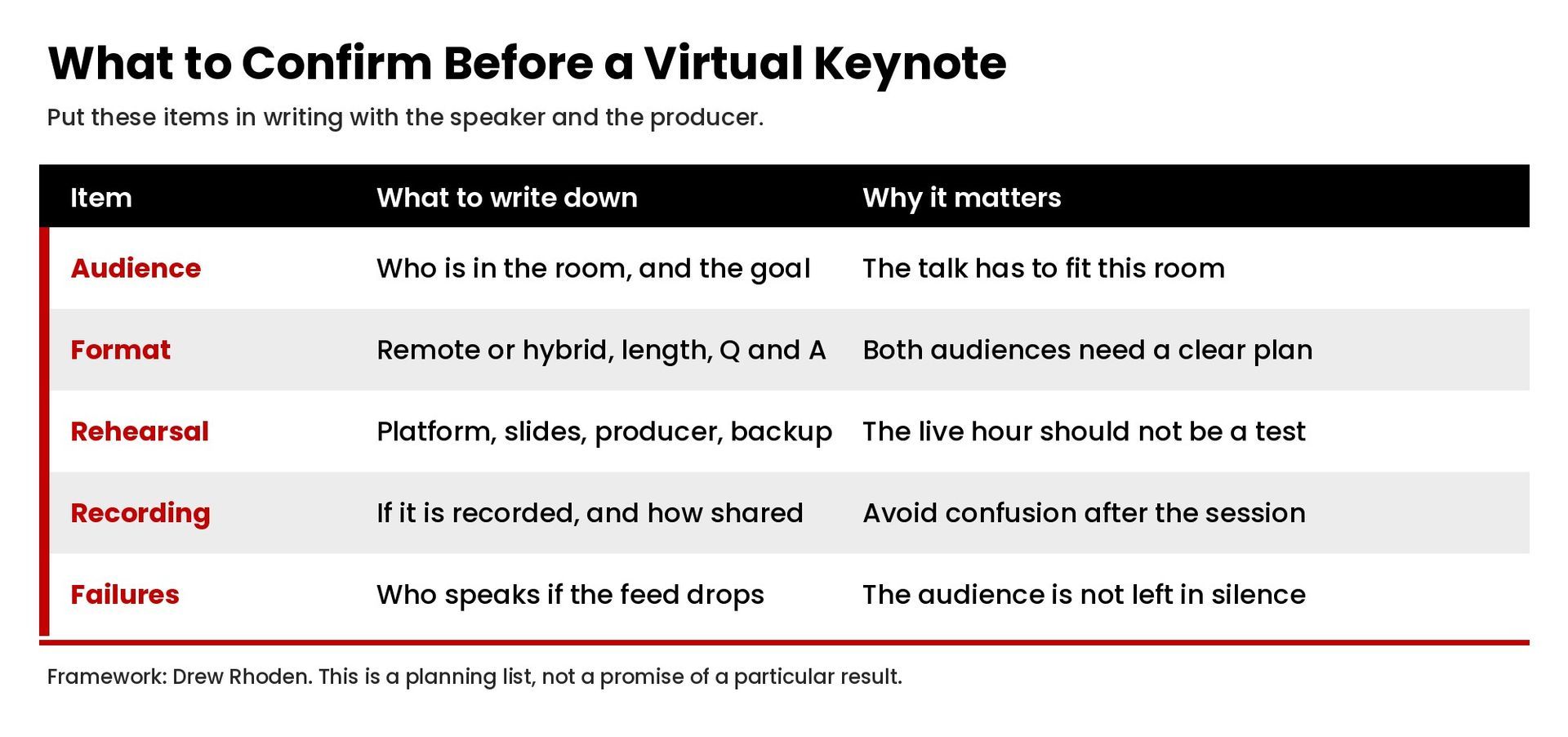
Before you lock the plan, put these items in writing:
- The outcome you want for this audience, including the business challenges you want the talk to address, in one or two sentences.
- The length of the keynote, the time for questions, and whether there is a later session or workshop.
- The platform, the backup link, and the name of the producer.
- Whether the event is recorded, who owns the recording, and how it may be shared.
- How the speaker will receive attendee context: industry, role mix, and current challenges.
- How you will handle a technical failure, including who speaks to the audience if the feed drops.
Also confirm three things about the content. First, the talk should be written for this event, not reused without changes. Second, any story from the speaker's life or work should be relevant to this audience. Third, the host and the speaker should agree on what "success" means for this hour: a shared framework, a discussion, or a decision the room needed to make. That is a planning definition of success, not a promised result. Success in a virtual keynote is easier to judge when you define it this way before the session, and when you review it with the speaker afterward. Do not treat applause, or a burst of chat, as the only measure of success.
Research the speaker the way you would research any other vendor. Watch the virtual sample. Read a current bio. Ask clients or prior hosts, if references are available, how the speaker worked with the production team. Look for insights that are specific, and for strategies the audience can try. Ask for two or three strategies the speaker would recommend in the first 30 days, and listen for insights that read like work, not slogans. Ask also how those strategies would change if the company were in a slower growth period, and whether the same strategies still apply. Speakers with real expertise can usually give that answer in plain language, and they can explain the expertise behind it. Organizations also benefit when speakers share how they have helped prior clients apply those strategies, without turning the sample into a sales pitch. Look also at whether the speaker has done work with audiences like yours: companies, a university program, association meetings, or internal leadership teams. A speaker's time on the road, or time around the world, is less important than whether the speaker has served audiences with your constraints. People join these sessions from different parts of the world, often in different time zones, and the talk still has to feel local to their work. Many organizations, including organizations with global teams, now prefer virtual speakers for that reason. Audiences in another country, or audiences spread across the world, will judge the session by clarity, not by whether the speaker has been on a world tour.
Diversity of thought in the wider event can matter too. A virtual keynote is often one part of a longer day. If other speakers, panels, or workshops will follow, the keynote should leave room for those sessions rather than trying to cover the entire agenda. Leading with one clear idea is usually better than covering everything. The right speakers will also help the host keep a positive tone without hiding the hard challenges the audience is actually facing. Some speakers try only to inspire. The better speakers inspire and then give people a way to act. In work life, and in the rest of life, audiences remember the part they can use.
If you want to discuss a virtual keynote for your organization, contact Drew Rhoden or call (888) 209-4055. We can talk through the audience, the format, the presentation length, and whether a remote or hybrid session is the right fit.
share this
Related Articles
Related Articles